
Your AI assistant does the drafting, you approve
Claude and ChatGPT can plug into outside tools. The AI connector lets them read your account and prepare the work: review replies, Google posts and profile changes. Each draft waits in Rank Networks until you approve it, so nothing reaches Google without you.
What it does
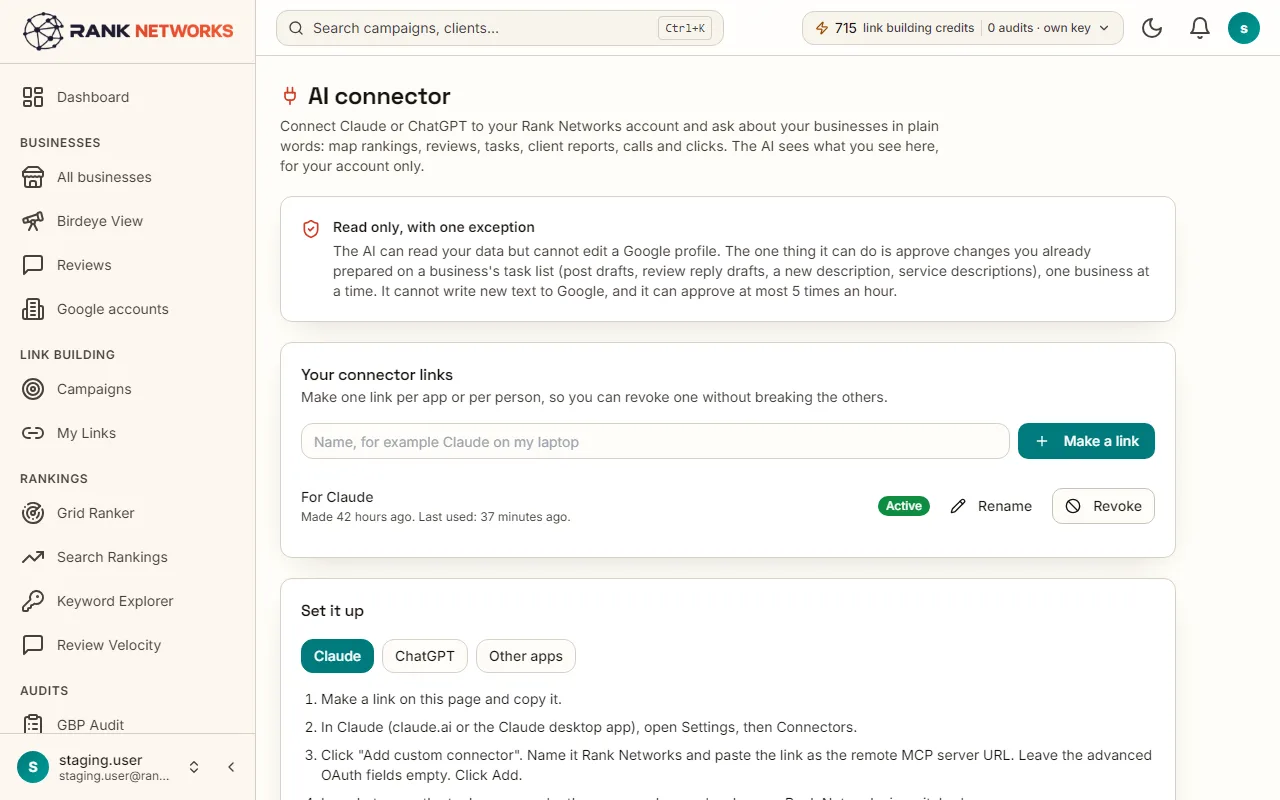
The AI connector is a private link you add to Claude or ChatGPT. The assistant can list your businesses and read each one's rankings, reviews, performance, tasks and reports. With drafting switched on for the link, it can also draft review replies, draft Google posts, suggest profile changes, and queue a map scan or a GBP audit once you agree to the cost. Every draft lands in the queue the app already has, and you approve it there.
A real-life example
Say you run a small agency in Dublin with 12 clients and start each Monday in Claude.
Before: Monday meant opening every business, reading new reviews, writing replies and planning posts one by one: most of a morning.
After: You ask Claude for a weekly review of each client. It drafts replies to new reviews and a post for next week, and lists the links. You read and approve the drafts in Rank Networks in about 20 minutes.
How you would use it
- 1.Open AI connector from the Tools menu, make a link and choose whether it may draft changes.
- 2.In Claude, open Settings, then Connectors, and add it. In ChatGPT, open Settings, then Apps and Connectors, and add it in developer mode.
- 3.Ask for something, such as drafting replies to this week's reviews for one business. The assistant asks before it uses a tool; choose Allow.
- 4.Open the link the assistant gives you, check each draft and approve it. Only then does it go to Google.
- 5.See every action under Recent actions on the same page, and revoke the link if it ever leaks.
The mechanism, in plain words
What runs behind the page, what it reads, and where Google's rules shape it.
- The connector follows the open standard both assistants use for outside tools, so the same link works in Claude, ChatGPT and other apps.
- Drafted replies wait in the reply queue, drafted posts wait on the post calendar and suggested profile changes wait on the Tasks page. A person approves each one.
- Map scans and audits cost credits, so the assistant first tells you the cost and only starts one after you say yes.
- Links made before drafting existed stay read only until you switch drafting on, and drafting needs a package.
- The link is private to your account and works on one business at a time, so a request never touches another client by mistake.
Included in every package
AI connector comes with every package. Each package covers a number of Google Business Profiles and one shared monthly pool of Grid Credits, links, audits, AI images and keyword searches.
Drafts are included. A map scan uses Grid Credits from the monthly pool and an audit uses one of the package's GBP audits, the same as in the app.
A new account starts with 250 free Grid Credits that never expire. Every package has a 7-day money-back promise. See the full pricing page.
Questions, answered
Try AI connector on your own profile
Create a free account, connect a Google Business Profile, and pick a package when you are ready. Every package includes every feature.